
sediment
0.1.3 preview · Apple Silicon macOS

A small archive utility
that stays out of your way.

Open an archive, check what's in it, and extract it into a fresh folder. Or zip up files and folders. Local-first, with no accounts, no telemetry, and no network. Written in Rust, with a GUI and a CLI that share the same archive engine.
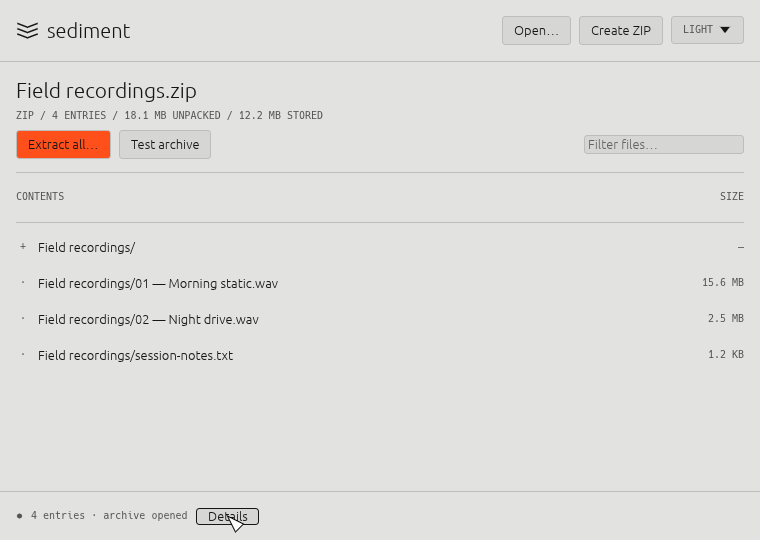
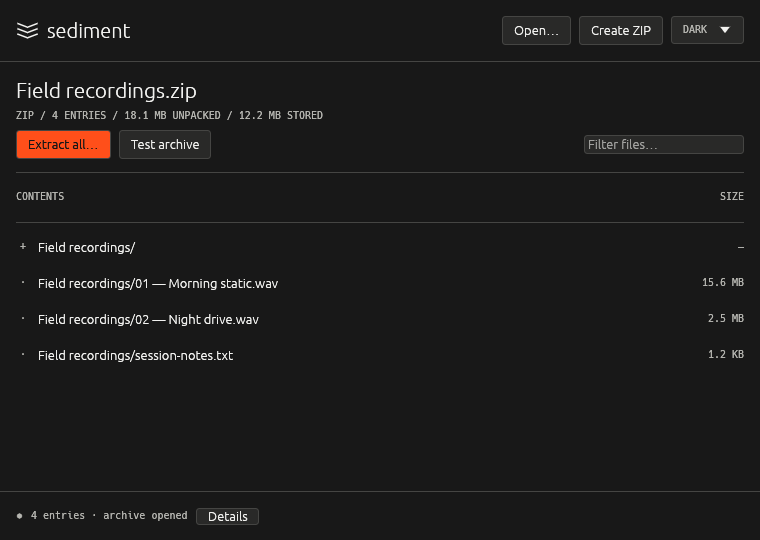
sediment showing the contents of a ZIP archive, light appearance sediment showing the contents of a ZIP archive, dark appearance
Features

Does a few things carefully

Open & browse

Drop a ZIP, TAR or TAR.GZ on the window. Filter entries and see their sizes before you extract anything.

Never overwrites

Extraction always goes into a new folder. Existing paths are never replaced or quietly renamed.

Create ZIPs

Package files or a folder in the background. You can cancel, and partial output is cleaned up.

Test archives

Check an archive's integrity without writing anything to disk.

Safe by default

Enforces limits on entry count, expanded size and path depth. Links, special files and suspicious TAR layouts are rejected.

Light & dark

A compact interface inspired by cassettes. Follows the system appearance, or you can pick one.

Command line

The same engine in your terminal

A standalone sediment binary with no GUI dependencies. It has --json output for scripts and --trace diagnostics that never record your filenames or file contents.

Optional short commands: eval "$(sediment shell-init)" adds an sdm shortcut. A sed alias is also available, but it hides the system text utility (command sed still reaches it).

# list, verify, extract, create
sediment list   photos.zip
sediment test   photos.zip
sediment extract photos.zip
sediment create backup.zip Documents/

# short form, after shell-init
sdm x photos.zip   # → photos/
Install

Get it

Desktop app: download sediment-0.1.3-macos-arm64.zip from Releases, unzip it, and move sediment.app to Applications.

CLI: download sediment-0.1.3-cli-darwin-arm64.tar.gz, unpack it, and put sediment on your PATH. Each download has a .sha256 checksum file.

# or build from source
cargo build --release --locked
cargo build --release --locked --no-default-features  # CLI only
Preview limits

What it doesn't do (yet)

  • RAR, 7z, encrypted or split archives
  • Editing archives in place, or recovery records
  • Finder file associations
  • Intel Macs, Windows, Linux packages (not yet validated)

This is an independently written archive manager built on third-party Rust codec libraries. It isn't a WinRAR clone or a new compression codec.